
LDS abnormal / laser distance sensor error
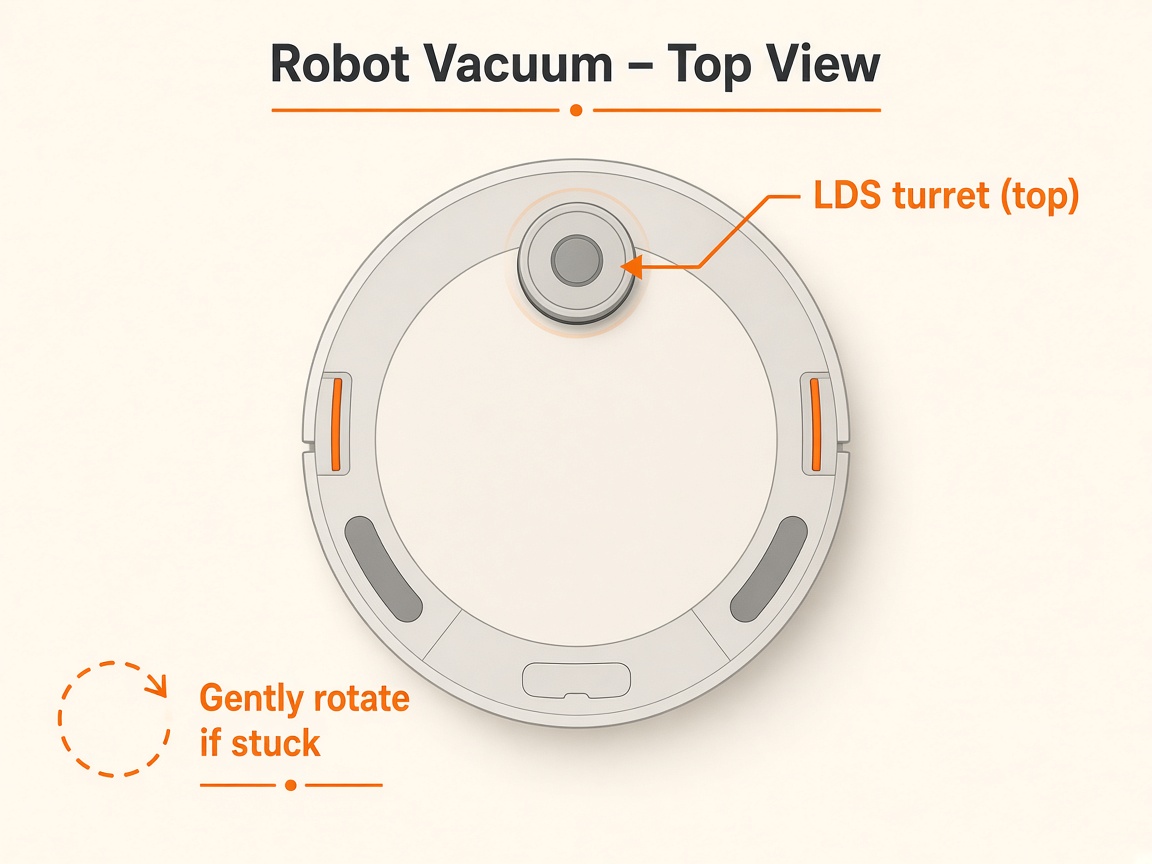
Where to look: Round laser tower (LDS) on top of the robot.
App/robot reports LDS abnormal / laser distance sensor error. Official steps: firmware, free the cover, clear openings; recurring faults need LDS service.
Picture
Quick answers
What is wrong?
App/robot reports LDS abnormal / laser distance sensor error. Official steps: firmware, free the cover, clear openings; recurring faults need LDS service.
What you might notice
- LDS abnormal / laser sensor error
- Fails to map or spins in place
- Laser tower sticky or blocked
Can I fix this myself?
Often yes with careful cleaning. Difficulty: medium · about 10-20 min (+ repair if recurring). If unsure or it returns, use mail-in repair.
What you need
- Soft dry cloth
- Soft brush (optional)
Do this
- In Dreamehome, update robot firmware to the latest version and retry.
- Gently shake or tap the LDS cover and confirm it rebounds.
- Clear foreign objects around the sensor. Gently turn the LDS by hand to confirm free rotation.
- Wipe laser emission and receiving openings with a soft dry cloth or soft brush — no liquids into the turret.
- Retry mapping. If the alert returns with a free-spinning clean tower, stop DIY and request LDS module repair.
Parts (only if cleaning fails)
- LDS / laser module (service)
Official references
- https://dreametech.zendesk.com/hc/en-us/articles/58073029739033-Robot-Vacuum-and-Mop-LDS-Abnormal
- https://support.dreametech.com/hc/en-us/articles/11409207127055-Troubleshooting-Prompt-Ladar-Distance-Sensor-Error
- https://support.dreametech.com/hc/en-us/articles/10385287955471-How-to-Solve-the-Laser-Sensor-Error-on-Your-Robot-Vacuum-A-Step-by-Step-Guide
- https://dreametech.zendesk.com/hc/en-us/articles/51080683966361-X50-Ultra-Complete-User-Manual
- https://www.dreame.my/cdn/shop/files/Dreame_X50_Ultra_black_Robot_Vacuum_and_Mop_User_Manual-US.pdf?v=8839824836899875096