
Laser sensor stuck / blocked
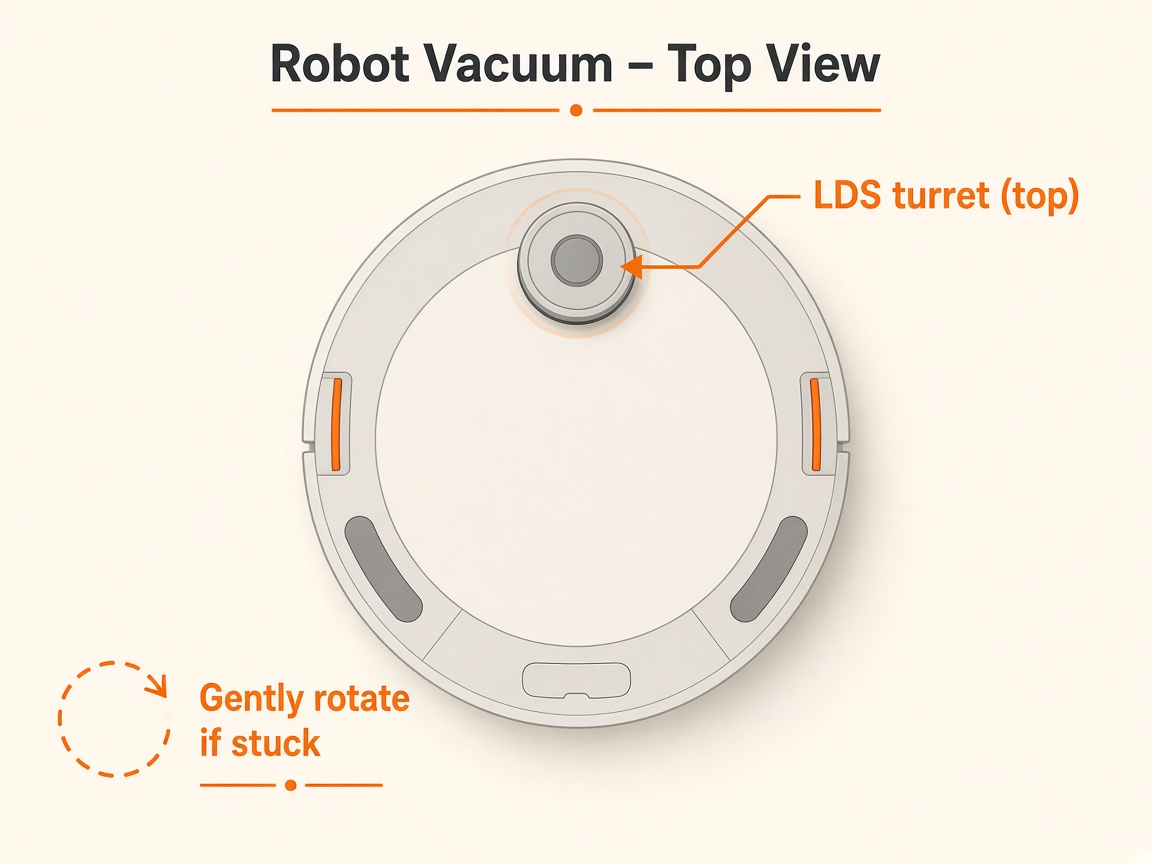
Where to look: Top laser / radar unit on the robot.
The robot reports laser sensor stuck, blocked, or laser sensor error.
Picture
Quick answers
What is wrong?
The robot reports laser sensor stuck, blocked, or laser sensor error.
What you might notice
- Laser sensor stuck/blocked alert
- Radar does not rotate
- Mapping fails
Can I fix this myself?
Usually yes for cleaning/clearing. Difficulty: easy · about 5-15 min. If unsure or the error returns, use mail-in repair.
What you need
- Soft dry cloth
Do this
- Power on and check whether the radar rotates. If it rotates, clean emission/reception apertures with a cotton swab or soft material, then restart a clean.
- If it does not rotate, remove the dustbin, carefully invert/shake to dislodge debris, and manually rotate the radar to free obstructions. Restart and retry.
- If the laser sensor cover may be stuck, remove foreign objects and press the cover until you hear a click.
- If the alert returns, request repair.
Parts (only if cleaning fails)
- None for a basic clean
Official references
- https://support.eufy.com/s/article/What-should-I-do-if-my-X10-Pro-Omni-triggers-the-laser-sensor-stuck-blocked-error
- https://support.nz.eufy.com/support/solutions/articles/154000240531-voice-alerts-quick-solutions-for-the-x10-pro-omni