
Robot will not charge on the base station
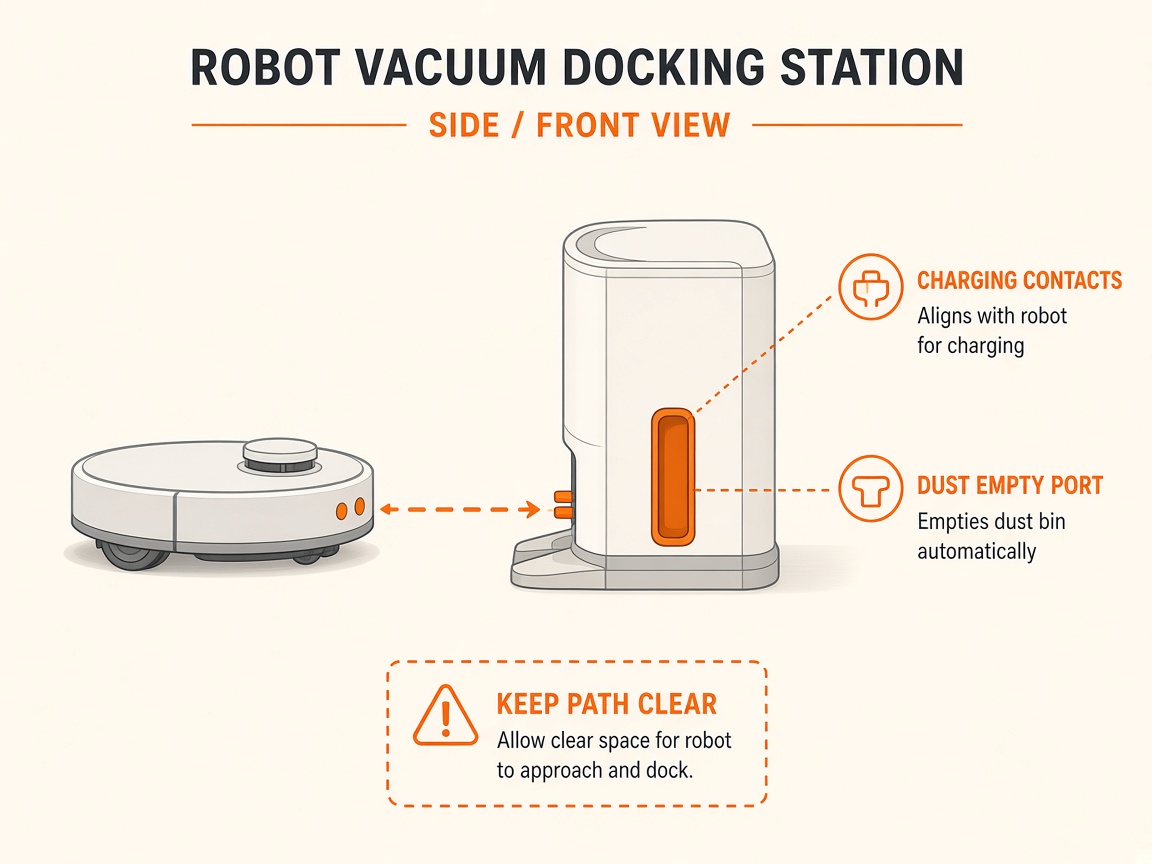
Where to look: Dock power, spring charging pins, robot charging contacts.
Robot sits on the base but battery % does not rise. Official charge FAQ: power, pin rebound, contact wipe, correct seating — then service.
Picture
Quick answers
What is wrong?
Robot sits on the base but battery % does not rise. Official charge FAQ: power, pin rebound, contact wipe, correct seating — then service.
What you might notice
- No charge / % not rising
- Dock indicator off or abnormal
- Intermittent charging
Can I fix this myself?
Often yes with careful cleaning. Difficulty: medium · about 15-30 min (+ repair if recurring). If unsure or it returns, use mail-in repair.
What you need
- Soft dry cloth
Do this
- Confirm the base is powered (rear switch on if present) and the power indicator is lit. Reseat both ends of the power cord; try another outlet.
- Wipe dock charging pins so they rebound freely; wipe robot charging contacts dry.
- Seat the robot correctly on the dock (not skewed). Charge 2–3 hours and check the app battery reading.
- If pins stay depressed or contacts are heavily oxidised after cleaning, note that for service.
- If it still will not charge after verified power and clean contacts, request battery/dock repair — do not open the lithium pack.
Parts (only if cleaning fails)
- Dock power adapter/cable
- Battery pack (service)
Official references
- https://support.dreametech.com/hc/en-us/articles/13011162261775-FAQ-for-Cannot-Charge-Issue
- https://support.dreametech.com/hc/en-us/articles/10820355927055-R2361C-L30-Ultra-User-Manual-US